How to Delete Your Account
Applies to: Let's Mahj on iOS and Android
This action is permanent and cannot be undone.
Your profile, group memberships, games, and notification history
will be deleted immediately.
Step 1 — Open the Account tab
Open Let's Mahj and tap Account in the bottom navigation bar. Scroll to the bottom of the list and tap Delete Account.
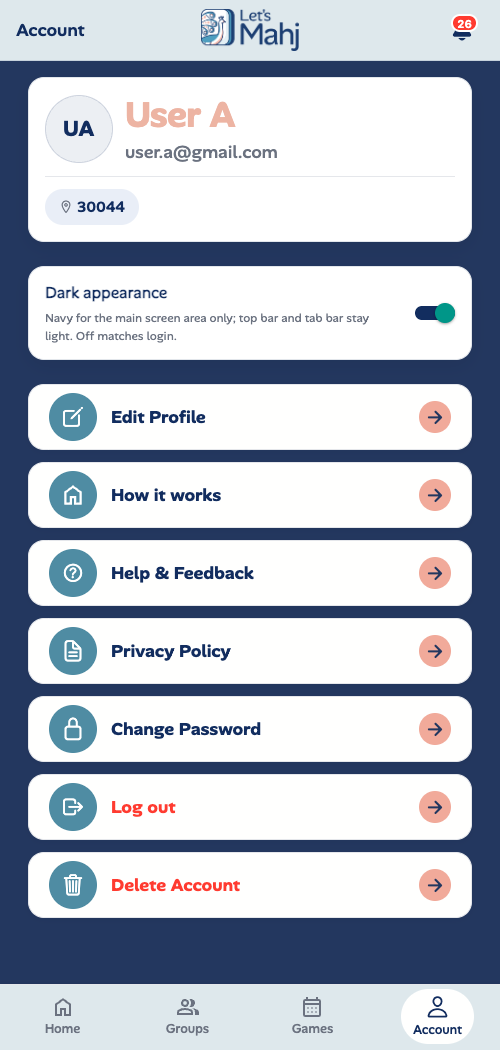
Tap Delete Account at the bottom of the Account screen.
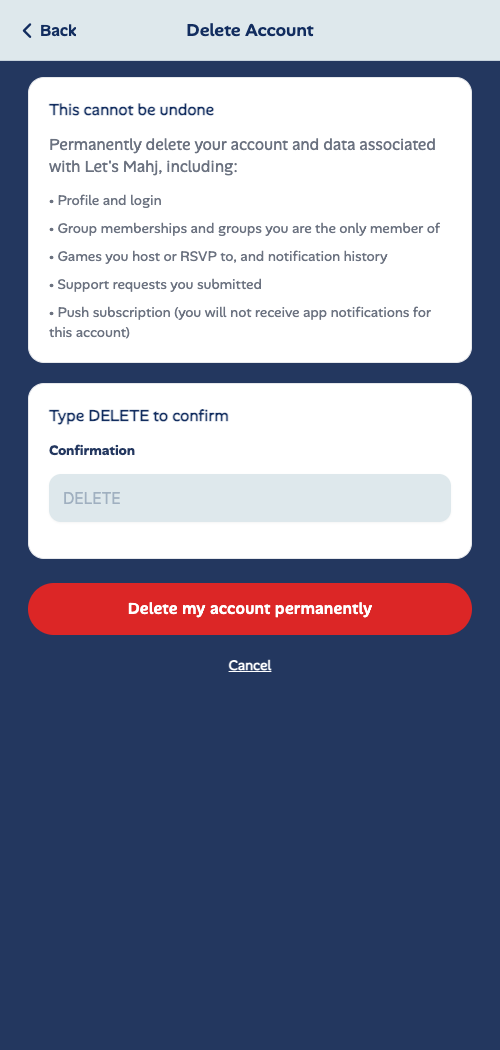
Type DELETE in the confirmation box, then tap Delete my account permanently.
Step 2 — Confirm on the Delete Account screen
Read the list of data that will be permanently removed, then type DELETE (all caps) in the Confirmation field. Tap Delete my account permanently. The app will sign you out immediately.
What data is deleted
- Profile and login credentials
- Group memberships and any groups you were the sole member of
- Games you hosted or RSVPd to, and notification history
- Support requests you submitted
- Push notification subscription for this account
Need help?
If you cannot access the app, email us at hello@letsmahj.com with your account email and we will process the deletion manually within 5 business days.